
Are you stuck in Archicad and feel like every task takes more time than it should?
You’re not alone. Many architects and designers use Archicad daily but don’t take full advantage of its smart tools.
The good news?
You don’t need to work harder you need to work smarter.
Below are 3 simple Archicad tips that can instantly improve your workflow and productivity.
1. Use Hotkeys to Save Time
One of the biggest productivity mistakes in Archicad is relying only on the mouse.
Why hotkeys matter:
-
Faster commands
-
Less repetitive clicking
-
Smoother design flow
Even learning 10–15 essential hotkeys can save you hours every week.
Pro tip:
Customize your hotkeys based on how you work, not the default setup.
2. Work with Templates, Not From Scratch
Starting every project from zero is a recipe for frustration.
A good Archicad template includes:
-
Predefined layers
-
Standardized views
-
Ready layouts and pens
-
Organized attributes
Templates help you:
-
Avoid mistakes
-
Stay consistent
-
Deliver projects faster
This is a key part of developing a professional BIM mindset.
3. Adopt a BIM Mindset
Archicad is not just a drawing tool — it’s a BIM platform.
A BIM mindset means:
-
Modeling correctly from the beginning
-
Thinking in systems, not lines
-
Letting Archicad generate drawings automatically
When you work with BIM instead of fighting it, everything becomes easier — from modeling to documentation.
Stop Struggling. Start Working Smarter
If you want to truly upgrade your Archicad skills, random tips are not enough.
You need structured, practical training that shows you how professionals really work.
Archicad Basic Course (Live – Virtual)
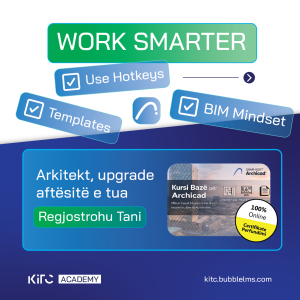
Our Archicad Basic Course is designed for:
-
Architects
-
Students
-
Engineers
-
Anyone who wants to work faster and smarter in Archicad
What you’ll get:
✔ Step-by-step lessons
✔ Real project workflow
✔ BIM fundamentals
✔ Certificate of completion
👉 Register now:
https://kitc.bubblelms.com
Final Thoughts
Archicad should help you design better — not slow you down.
By:
-
Using hotkeys
-
Working with templates
-
Adopting a BIM mindset
you’ll stop struggling and start working smarter.
Upgrade your skills today and take control of your workflow.